

EPG for IPTV: What It Is, How It Works, and How to Set It Up
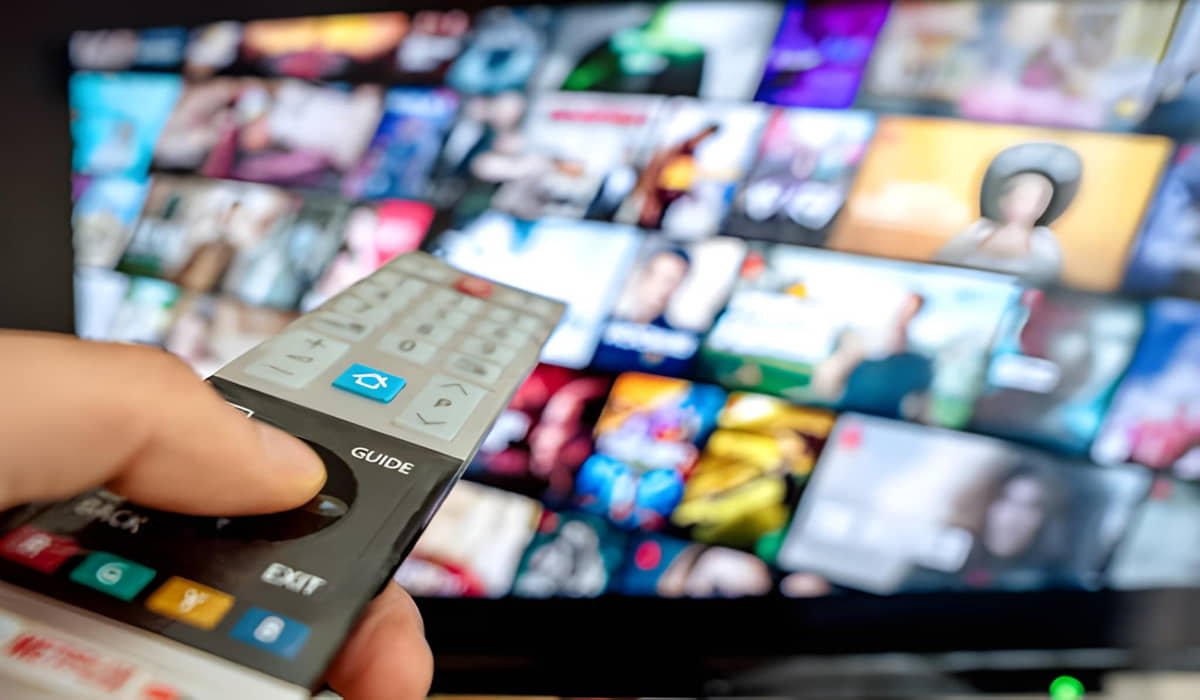
EPG stands for Electronic Programme Guide. In IPTV, it is the digital TV schedule displayed inside a compatible IPTV app, showing current and upcoming programmes, their broadcast times, and descriptions when that information is available. It helps viewers decide what to watch without opening every channel individually.
An EPG is separate from the video stream itself. A channel can play normally even when its programme guide displays “No Information.” This usually means the guide data is missing, has not loaded correctly, or cannot be matched to that channel.
To get an IPTV EPG working, you need a compatible player, an available guide source, and the correct configuration. Understanding how EPG data, M3U playlists, XMLTV, and channel identifiers work together makes it easier to set up the guide and diagnose common problems.
What Is EPG in IPTV?
An EPG, or Electronic Programme Guide, is a digital schedule that shows what television channels are broadcasting now and what they are expected to show next.
When you open the guide in an IPTV app, you may see a list of channels alongside a timetable of programmes. Selecting a programme can reveal its title, start time, end time, description, category, or other details included in the guide data.
For example, imagine opening a sports channel at 7:30 PM. The EPG might show that a football match is currently playing until 9:00 PM, followed by a sports analysis programme. You can check the schedule before opening the channel or switching away from what you are watching.
The information displayed depends on the guide source, the channel’s available listings, and the features supported by your IPTV app.
An EPG does not provide the television picture or sound. It provides the schedule information that helps you navigate the available channels.
What Does an IPTV EPG Do?
An IPTV EPG makes channel browsing more organised by presenting programme schedules in one place. Its main purpose is to show television listings, although some compatible apps and services can use guide information for additional functions.
Shows current and upcoming programmes
The guide helps you see what is playing on a channel and which programme is scheduled next. Depending on the source, it may also display listings for later hours or upcoming days.
This is useful when you want to find a live sports event, a news broadcast, a film, or another programme without switching through several channels.
Displays programme times and descriptions
An EPG can display programme titles, start and end times, and short descriptions. Some sources also include categories, episode details, ratings, or other programme metadata.
The amount of information varies. One channel might show a complete schedule with descriptions, while another displays only programme titles or has no listings available.
Makes channel browsing easier
A programme grid allows viewers to compare schedules across several channels. Instead of opening each stream to find out what is on, you can browse the guide and choose a programme that interests you.
The layout depends on the app. Some players use a grid with channels on one side and times across the top. Others show a simpler list or display programme information in a separate panel.
Supports additional viewing features
Some IPTV players use EPG data to support programme reminders, scheduled recording, or links to catch-up content. These features are not guaranteed by the guide itself.
For example, an EPG may show that a programme aired earlier, but that does not mean the programme is available for replay. Catch-up and recording require additional support from the app, content source, service configuration, and applicable rights.
How Does EPG Work With IPTV?
An IPTV EPG receives programme information, links it to the correct channels, and displays the resulting schedule in a compatible player.
The exact process depends on the IPTV service and app. Some configurations use a separate guide source, while others provide guide information through an integrated login or delivery system.
1. The IPTV service or source provides programme data
The guide data must come from somewhere. The IPTV service may supply it, deliver it through an integrated system, or retrieve it from a separate EPG source.
This data contains schedule information such as channel identifiers, programme titles, and broadcast times. Descriptions and other details may also be included.
If the source does not provide listings for a particular channel, the app cannot create an accurate schedule from the video stream alone.
2. The IPTV app loads the guide data
A compatible IPTV app retrieves or receives the guide information using the method supported by the service. Depending on the configuration, this may happen automatically or require the user to add a guide source.
The app then processes the data so it can display the listings. Large guide files or slow sources can take longer to load, particularly during an initial update.
3. The app matches programme listings to channels
The player needs to determine which guide entries belong to which channel in the playlist or account.
Channel identifiers help make this connection. Some M3U playlists use an attribute called tvg-id, while the guide data may contain its own channel ID. When the identifiers do not match as expected, a channel may play correctly but show no programme information.
Not every IPTV system uses the same matching method, so the correct configuration depends on the app and source.
4. The guide appears on the screen
After the data has loaded and the channel relationships have been established, the app presents the programme schedule in its guide interface.
The basic process can be summarised as:
EPG source → Guide data loaded by the app → Channel matching → Programme schedule displayed
This is a simplified model. Some services combine several of these steps within their own systems.
EPG vs M3U Playlist vs IPTV Stream
An EPG, an M3U playlist, and an IPTV stream perform different jobs. Understanding the difference is important when setting up a guide or troubleshooting missing programme information.
| Component | Main purpose | Typical information |
|---|---|---|
| IPTV stream | Delivers the audio and video | The live programme being watched |
| M3U playlist | Identifies channels or media entries and their stream locations | Channel names, stream URLs, and metadata where supplied |
| EPG data | Provides television programme schedules | Programme titles, times, descriptions, and channel references |
| IPTV app | Loads supported sources and provides the interface | Channel navigation, playback, and guide display |
An M3U playlist commonly provides the information an app needs to list channels and access their streams. Some playlists also contain metadata that can help the app match channels with guide entries. However, an M3U playlist does not automatically guarantee complete EPG data.
The IPTV stream delivers the actual programme, while the EPG provides information about the schedule.
This explains why a channel can work even when its EPG is blank. The app may have a valid stream location but no available guide data, an incorrect guide source, or a channel-matching problem.
If playback itself is failing, investigate the stream or connection separately from the EPG. If playback works but the programme schedule is missing, start by checking the guide source and channel mapping.
What Is XMLTV in IPTV?
XMLTV is a structured format used to represent television listings. It can contain channel information and programme records, including titles, start times, end times, descriptions, and identifiers.
Some IPTV apps can read XMLTV data from a supported file or remote source and use it to populate their programme guides. The exact setup depends on the player.
What information does XMLTV contain?
A typical XMLTV document may include:
- Channel identifiers and display names.
- Programme titles.
- Programme start and end times.
- Programme descriptions.
- Categories and other metadata, when supplied.
- Additional information such as language or programme ratings, when available.
The guide source does not necessarily contain every field for every channel. The app can only display the information that is available and supported.
How does XMLTV connect to an IPTV app?
When an IPTV app supports XMLTV, it can load the relevant guide data and use it to populate the programme schedule. The source may be provided as a file or through a URL, depending on the app and service.
The player then uses the available channel information to associate programme entries with the channels in its list.
If the source loads but the channels are not matched correctly, the guide may remain empty for some or all channels.
Is XMLTV the same as an EPG?
No. EPG describes the electronic programme guide or the schedule displayed to the viewer, while XMLTV is one format used to supply programme-guide data.
Think of EPG as the guide you see on the screen and XMLTV as one possible way of organising and delivering the information that fills it.
Do all IPTV services use XMLTV?
No. Some use XMLTV, while others provide guide data through an integrated API or a provider-specific system. Some configurations do not require users to enter a separate guide source at all.
Before trying to add an XMLTV file or URL, check which format your IPTV app and service support. Adding an incompatible source will not necessarily fix the guide.
What Is an EPG URL?
An EPG URL is a web address that a compatible IPTV app uses to retrieve programme-guide data when the configuration relies on a remote source.
It may point to guide data in a supported format, such as XMLTV. Your IPTV service may provide this address directly, or the app may retrieve guide data through its own integrated system.
Where can you find an EPG URL?
If your setup requires a separate EPG URL, check the service’s setup instructions or contact its support team. The correct address depends on your account, guide source, and app configuration.
Do not assume that a playlist URL and an EPG URL are interchangeable. They may point to different resources and serve different purposes.
Why is the EPG URL different from the M3U URL?
A playlist URL commonly provides channel entries and stream locations. An EPG URL provides programme schedules.
A service may supply both addresses, or it may combine the information through an integrated system. A working playlist URL does not guarantee that a separate EPG URL is available or functioning.
Should you use any EPG URL you find online?
No. Prefer the guide source supplied or recommended by your service, or a legitimate source that you are authorised to use.
An unknown source may be outdated, incomplete, incompatible, or unreliable. URLs can also contain account identifiers or access tokens, so avoid posting private addresses publicly or sharing them with people you do not trust.
Not every IPTV configuration needs a separate EPG URL. Follow the instructions for your specific app and service rather than adding one unnecessarily.
How to Set Up EPG for IPTV
The exact menus vary between IPTV apps, devices, and services, but the general setup process is similar. First, confirm that guide data is available, then use the correct source and allow the app to load it.
Step 1 — Confirm that your service provides EPG data
Check your IPTV service’s setup instructions or ask support whether programme-guide data is included.
Find out whether the guide loads automatically through your account or requires a separate source. Also check whether listings are available for all channels or only selected ones.
An IPTV subscription does not automatically guarantee complete or accurate listings for every channel.
Step 2 — Find the correct EPG source
If your service provides an EPG URL or file, use the exact source and format specified in its instructions.
If guide data is integrated into the service’s login method, you may not need to enter a separate URL. Avoid adding a third-party source until you know that your configuration supports it and that the source is appropriate.
Step 3 — Open the guide settings in your IPTV app
Look for a menu labelled EPG, TV Guide, Programme Guide, XMLTV, or something similar.
Some apps place these settings under playlist management, account settings, or live TV configuration. Others manage the guide automatically.
If you cannot find a manual EPG setting, consult the app’s documentation before assuming that the feature is missing.
Step 4 — Add or enable the guide source
Follow the instructions for your chosen app. If manual configuration is supported, enter the correct source details or select the appropriate guide file.
Check for typing errors and make sure the source belongs to the intended account or playlist. Do not share private credentials or access tokens while seeking help.
If the app provides integrated guide data, enable the relevant feature rather than entering an unrelated source.
Step 5 — Refresh or update the guide
Use the app’s documented refresh or update function if the guide does not load automatically.
The player may need time to retrieve and process the listings, particularly when loading a large guide for the first time. The required time varies by source, connection, and app.
Wait for the update to finish before deciding that the source has failed. Repeatedly refreshing a source that contains no relevant data will not create missing listings.
Step 6 — Check channel matching and time settings
If the guide loads but information is missing or incorrect, check whether the affected channels are matched to the right guide entries.
Where supported, review channel identifiers such as tvg-id and the corresponding guide IDs. Also check the device’s date, time zone, and any manually configured EPG offset.
Do not change every setting at once. Correct one suspected issue, refresh the guide if necessary, and check the result.
Step 7 — Test a known channel
Choose a channel whose current programme you can verify from a reliable schedule. Compare the displayed programme title and time with the expected broadcast.
If the listing matches, check a few other channels to see whether the guide is working consistently. If it does not, use the troubleshooting section below to narrow down the cause.
Remember that menu names and setup options vary by app, operating-system version, and service configuration. Use a dedicated device setup guide when you need exact instructions for a particular player.
Why Is My IPTV EPG Not Working?
An IPTV EPG can fail for several reasons. The guide source may be missing, the data may be outdated, channel identifiers may not match, or the app may have incorrect time settings.
Start by identifying the scope of the problem. Is the entire guide blank, are only a few channels missing information, are the programme times wrong, or are the listings outdated? The symptom helps determine what to check first.
| Symptom | Possible cause | First check |
|---|---|---|
| The entire guide is blank | Missing or unavailable source, failed download, or no guide data supplied | Confirm EPG availability and verify the configured source |
| Only some channels have no information | Missing listings or channel-ID mismatch | Check guide coverage and channel matching for those channels |
| Programmes appear on the wrong channels | Incorrect channel mapping | Verify the affected channel identifiers and mappings |
| Programme times are shifted | Incorrect time zone, daylight-saving handling, or manual offset | Check the device’s date, time, and time zone |
| The guide shows old listings | Stale data or an unsuccessful refresh | Refresh the guide and check whether the source has current data |
| The guide loads slowly | Large guide file, slow connection, source delay, or app limitations | Allow the initial load to finish and check the source and connection |
| The guide works in one app but not another | Different app capabilities or configuration | Compare the supported formats and guide settings |
| Login works but no guide is available | The service may not provide guide data for the selected channels or login method | Confirm guide availability with the provider |
These symptoms can have more than one cause. Use the table to guide your checks rather than treating any single explanation as certain.
How to Fix Missing EPG Information
If your IPTV guide displays “No Information,” follow a diagnostic process before reinstalling the app or replacing your playlist.
1. Check whether the problem affects every channel
Open several channels and compare their guide information.
If all channels lack listings, check whether the guide source is configured correctly, whether the source is available, and whether your service supplies EPG data.
If only a few channels are affected, the source may have incomplete coverage or the app may be unable to match those channels to their guide entries.
2. Confirm that the guide source is correct
If your setup uses a separate EPG URL or file, check that it matches the instructions for your service and app.
A valid playlist does not prove that the guide source is valid. The two resources serve different functions and may fail independently.
If the guide is integrated into your login method, confirm that the account configuration supports programme listings before trying to add an external source.
3. Check channel IDs and mapping
Some IPTV players use channel identifiers to associate playlist entries with programme records.
For example, a fictional playlist might identify a channel as sports-example, while the guide source identifies the corresponding channel as sports-example-hd. If the player relies on exact identifier matching and cannot associate these entries, it may not display the guide for that channel.
This is an illustrative example, not a real channel configuration. Actual matching rules depend on the app and guide source.
Where manual mapping is supported, follow the app’s instructions to select the correct guide entry. Do not assume that every missing listing is caused by an identifier mismatch.
4. Refresh the guide and check for cached data
If the source and channel mapping appear correct, use the app’s guide-refresh function.
Some apps retain previously downloaded data, so old listings may remain visible until the new information has been processed. A refresh can help when the existing data is stale, but it cannot fix an unavailable source or missing programme records.
5. Compare with another compatible app if possible
If your service permits it, checking the same supported guide source in another compatible app may help isolate the problem.
If the guide works in one app but not another, the issue may involve app compatibility, configuration, or channel-matching behaviour. If it fails in both, the source or supplied data may need attention.
Use this test only when you can configure the second app safely and correctly. There is no need to replace a working setup without a clear reason.
6. Contact your provider when the source may be incomplete
If the source loads but listings remain missing for specific channels, ask your IPTV subscription service provider whether guide data is available for those channels and whether the service has a recommended configuration.
Provide the relevant symptom, the affected channels, the app you use, and the troubleshooting steps you have already completed. Do not include passwords, private URLs, or account tokens in a public support request.
Why Does My IPTV EPG Show the Wrong Time?
Incorrect programme times can result from device settings, time-zone handling, daylight-saving changes, manual offsets, or incorrect timestamps in the guide source.
A guide that is consistently shifted across many channels may point to a time-setting issue, but it does not prove that the device is responsible. The source itself may also contain incorrect schedule information.
Use this sequence to investigate the problem:
- Check the device’s date and time. Make sure the clock is correct.
- Confirm the local time zone. A device configured for another region may display programme times incorrectly.
- Check how widespread the error is. If all channels show the same shift, investigate shared time settings. If only selected listings are wrong, check the source data or channel mapping.
- Review any manual EPG offset. If the app supports a time adjustment, confirm that it is appropriate. Avoid adding an offset without understanding the existing time handling.
- Refresh the guide. After correcting a setting, reload the data if the app requires it.
- Contact the provider if necessary. If the source itself contains incorrect timestamps, changing the device clock will not repair the underlying listings.
Daylight-saving changes can also affect displayed schedules in regions that observe them. Follow the time-handling instructions for your device and app rather than applying a universal offset.
How Often Should IPTV EPG Data Be Updated?
EPG update frequency depends on the source, service, app, and how frequently the listings change. There is no single refresh interval that is correct for every IPTV configuration.
Some apps retrieve guide information automatically. Others provide a manual refresh option or let users configure update behaviour.
It is useful to distinguish two things:
- Refreshing the guide: The app retrieves or reloads available guide data.
- Updating the listings at the source: The provider or guide source publishes newer programme information.
Refreshing an app cannot guarantee that new listings will appear if the source has not been updated.
If the guide is blank after initial setup, follow the app’s instructions for its first update. If the listings later become outdated, refresh the guide and check whether the source contains current data.
Repeated refreshes are unlikely to help when the source is unavailable, the channel mapping is wrong, or the provider does not supply listings for the affected channels. Use the recommended update settings for your specific app and service.
Does Every IPTV Service Include an EPG?
No. EPG availability, channel coverage, and setup methods vary by IPTV service and configuration.
Some services provide guide data through an integrated account or login system. Others supply a separate EPG source. Some may provide listings for most channels but have incomplete or unavailable information for others.
A paid IPTV subscription does not automatically guarantee that every channel will have accurate programme descriptions or an extended schedule.
Before choosing or configuring a service, check:
- Whether programme-guide data is included.
- Whether the guide loads automatically or requires manual setup.
- Which apps and guide formats are supported.
- Whether listings are available for the channels you watch.
- How to refresh the guide or report incorrect programme information.
For Pro IPTV Canada, confirm the currently supported EPG method and coverage through the service’s applicable setup information or support team rather than assuming that every login method or channel uses the same guide system.
Can You Use an External EPG Source?
Yes, some IPTV apps allow an external EPG source, provided the app supports the format, and you are authorised to use the data.
An external guide may be useful when a compatible source supplies programme information for channels that are otherwise missing listings. However, adding an external source does not guarantee that it will match your playlist.
Before using one, check the following:
- Compatibility: The app must support the source’s format and access method.
- Channel matching: The guide identifiers must be compatible with the channel entries or manually mapped where supported.
- Coverage: The source must include the channels and region you need.
- Accuracy and freshness: The listings should be current and relevant to the correct broadcast schedules.
- Reliability and privacy: The source should be trustworthy and should not expose your account credentials.
- Permission to use the data: Use a legitimate source with appropriate rights rather than scraping protected listings or bypassing access controls.
Your provider’s supported guide source is generally the best place to start because it is intended for the relevant service configuration.
EPG for Different IPTV Apps and Devices
The availability and configuration of EPG depend on the IPTV app, not just the device. Two apps running on the same television may offer different guide settings and support different data sources.
EPG on Fire TV Stick
On a Fire TV Stick, the installed IPTV player determines how guide data is loaded and displayed. Check whether the player retrieves EPG information automatically or requires a separate source. The device itself does not guarantee guide availability.
EPG on Android TV and Google TV
Compatible Android TV and Google TV apps may manage guide information through account settings, playlist settings, or a TV-guide menu. Follow the instructions for the specific player to determine whether manual configuration is necessary.
EPG on Smart TVs
EPG options on Smart TVs vary by operating system, model, and installed app. Check that the app supports the guide source and configuration method supplied by your service.
EPG on Android and iPhone or iPad
Mobile IPTV apps differ in how they display programme listings and expose manual guide settings. Some simplify the setup, while others offer more detailed source or channel-mapping options.
EPG on Windows and macOS
Desktop IPTV players may provide their own source settings, refresh controls, and guide interfaces. Check the app’s documentation before assuming that settings from a mobile or TV version will be identical.
For any device, confirm the supported guide format, use the service’s recommended source, and check whether guide data is loaded automatically. A dedicated setup guide is the best next step when you need exact menu instructions.
Frequently Asked Questions About EPG for IPTV
What does EPG stand for in IPTV?
EPG stands for Electronic Programme Guide. It is the digital TV schedule displayed in a compatible IPTV app, showing current and upcoming programmes and, when available, their titles, broadcast times, and descriptions.
Is EPG the same as an IPTV playlist?
No. An IPTV playlist commonly identifies channels or media entries and their stream locations. An EPG provides programme schedule information. An app can use both to show available channels alongside the programmes scheduled on them.
What is the difference between EPG and XMLTV?
EPG refers to the programme-guide function or displayed schedule. XMLTV is one format used to organise and provide guide data. An IPTV app that supports XMLTV can use that data to populate its programme guide.
Do I need an EPG URL for IPTV?
Not always. Some configurations require a separate EPG URL, while others supply guide data through an integrated system. Check the instructions for your IPTV service and app before adding a separate source.
Why does my IPTV EPG say “No Information”?
Possible reasons include missing guide data, an incorrect source, incomplete programme listings, or a mismatch between playlist channels and guide records. First, check whether the problem affects every channel or only selected channels.
Why does my EPG show the wrong time?
Incorrect device time-zone settings, daylight-saving handling, manual offsets, or incorrect timestamps in the guide source can cause time discrepancies. Check the device settings and determine whether the problem affects all channels before changing an offset.
Can IPTV channels work without EPG?
Yes. IPTV playback and programme-guide data are separate functions. A stream can play successfully even when the guide source is unavailable, or the app cannot match programme listings to that channel.
How do I refresh an IPTV EPG?
Use the guide-refresh or update function documented by your IPTV app. If the listings remain missing or outdated, check the source, channel mapping, and time settings rather than repeatedly refreshing without identifying the cause.
Does EPG include catch-up TV?
No. An EPG displays schedule information but does not automatically provide catch-up playback. Catch-up depends on support from the service, content source, app, configuration, and applicable rights.
How many days of TV listings does an EPG provide?
The number of available days depends on the guide source and service. Some sources provide limited schedules, while others include more extensive listings. Check the data available through your configuration instead of assuming a fixed number of days.
Can I use the same EPG on multiple devices?
Possibly. It depends on the source, access permissions, app compatibility, and service configuration. Check the provider’s instructions and the app’s supported setup methods before reusing the same guide source on additional devices.
Get Your IPTV Guide Working Correctly
An EPG provides the programme schedule that makes IPTV channel browsing easier. It is separate from the video stream, so a channel can play normally even when its guide information is missing.
XMLTV is one common way to supply programme listings, while an M3U playlist typically identifies channels and stream locations. The IPTV app brings the relevant information together, using supported channel-matching methods to display the schedule.
If your guide is not working, first identify whether the problem affects all channels, selected channels, programme times, or outdated listings. Then check guide availability, the configured source, channel matching, and device time settings in that order.
If the problem continues, consult the app’s documentation or ask your IPTV provider to confirm the supported EPG source and the availability of listings for the affected channels. This is more useful than changing settings or reinstalling the app without knowing what caused the issue.